Personal Access Tokens for the Testomato API
You can now create personal access tokens for the Testomato API and for AI clients connected through our MCP server. Each token has a name and an expiration, and you can revoke it at any time.
Why we changed it
Until now, an API token was valid forever and there was no way to cancel one. If a token leaked from a CI log or a shared config file, it kept working.
Now every token has a lifetime, and the ones you create yourself can be revoked from one place.
How to create a token
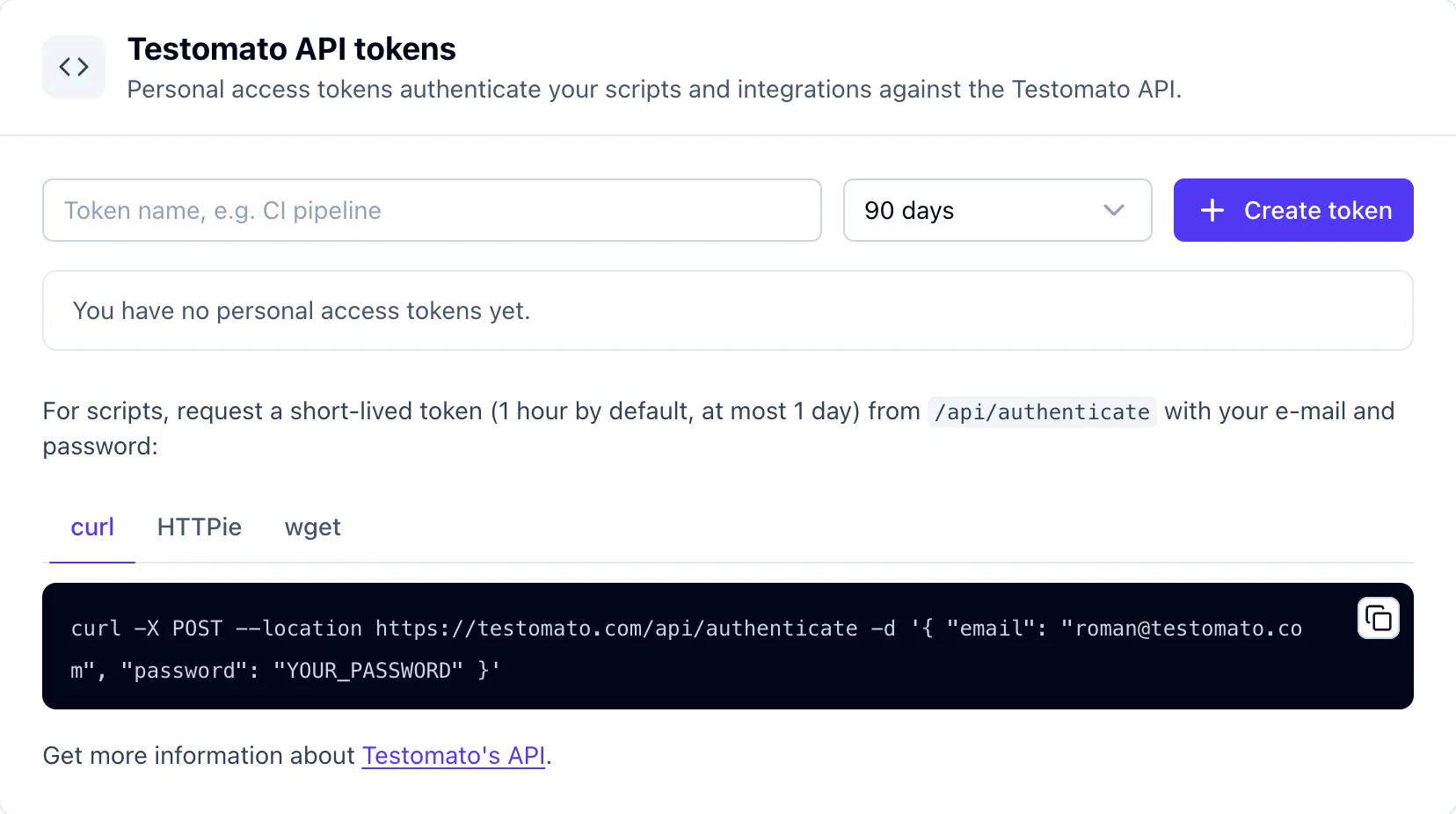
- Open Account settings → Testomato API tokens.
- Name the token after where you will use it, for example CI pipeline or Claude.
- Pick a lifetime: 30 days, 90 days, 1 year or no expiration.
- Click Create token and copy it. It is shown only once.
The list shows when each token was created, when it was last used and when it expires. Revoke cancels a token immediately — anything that uses it stops working on the next request.
You can have up to 15 active tokens.
See API tokens in the help docs for how to use and manage them.
Short-lived tokens for scripts
POST /api/authenticate still returns a token for your e-mail and password, but that token now expires after 1 hour by default and after 1 day at most. It suits a script that logs in, does its job and exits. For anything that runs unattended, such as an MCP client or a scheduled job, use a personal access token.
Automatic revocation
When you change or reset your password, all your personal access tokens are revoked. If you suspect an account compromise, a password change cuts off every integration at once. Deleting your account removes your tokens as well.
Happy accessing!
Connect your scripts and AI tools to Testomato
14-day free trial. No credit card required.

Written by
Roman Ožana