Testomato WordPress plugin
Uptime, content and SSL checks for WordPress and WooCommerce, run from outside your server and reported in your dashboard.
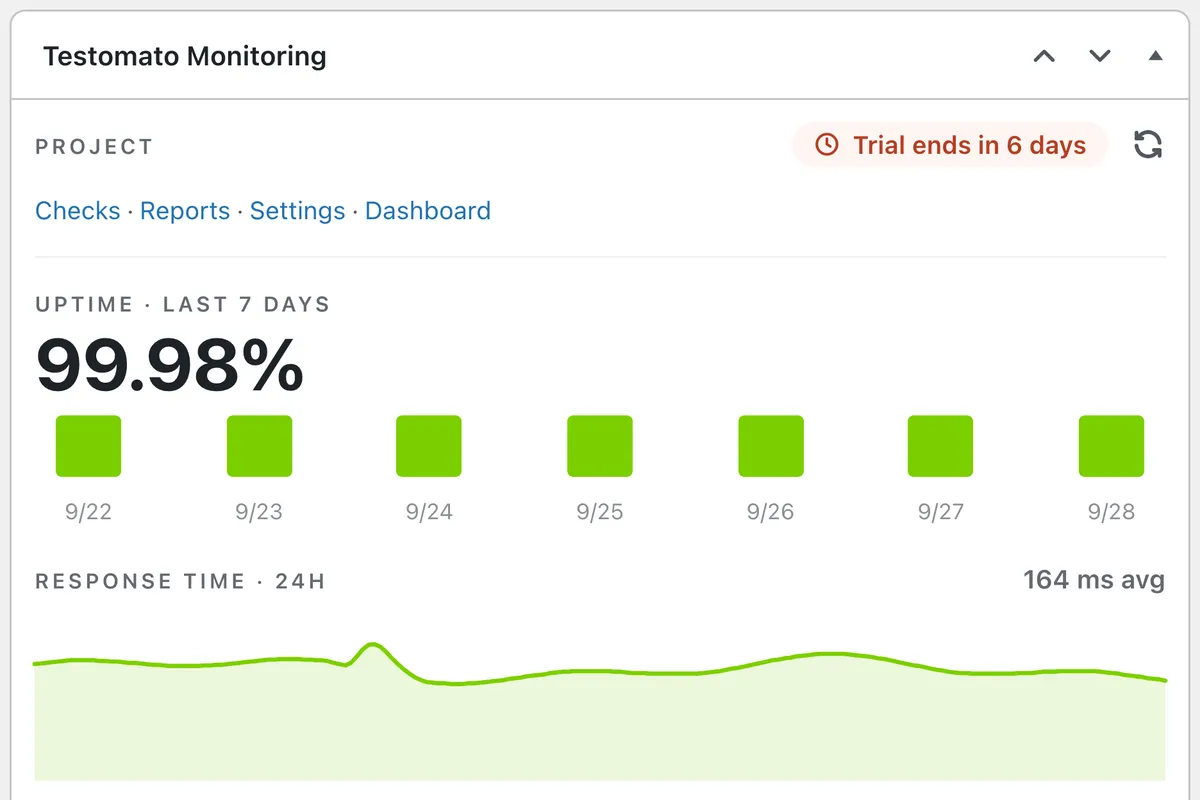
A plugin cannot tell you your site is down.
Something outside it has to.
The checks run on Testomato's servers, so the alert still reaches you when PHP, the database or the host goes down.
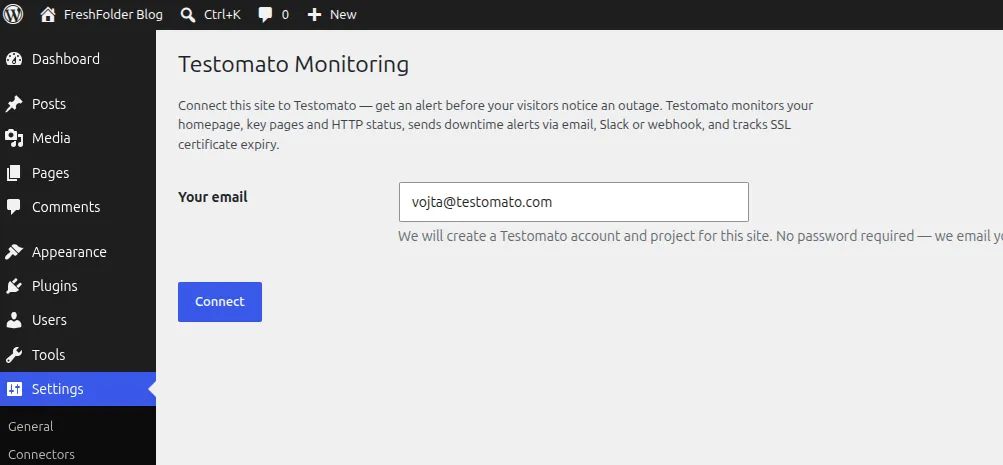
Connect in 30 seconds, with an email address
Open Settings → Testomato Monitoring, click Connect and enter the code we email you. The plugin creates your account and a project, with pages suggested from your homepage.
Already a customer? Paste your API token instead and the site joins your existing account.
What the plugin sets up for you:
-
Uptime monitoring
Checked from nine locations, so one network hiccup isn't a false alarm. -
Content & error checks
Catches missing text and PHP or database errors that still return a 200. -
WooCommerce pages
Cart and checkout are added automatically. -
SSL expiry alerts
You hear about an expiring certificate before your visitors do. -
Instant alerts
Email by default. Slack and webhooks from the dashboard. -
Yours to tune
Every URL, check and alert rule stays editable in Testomato.
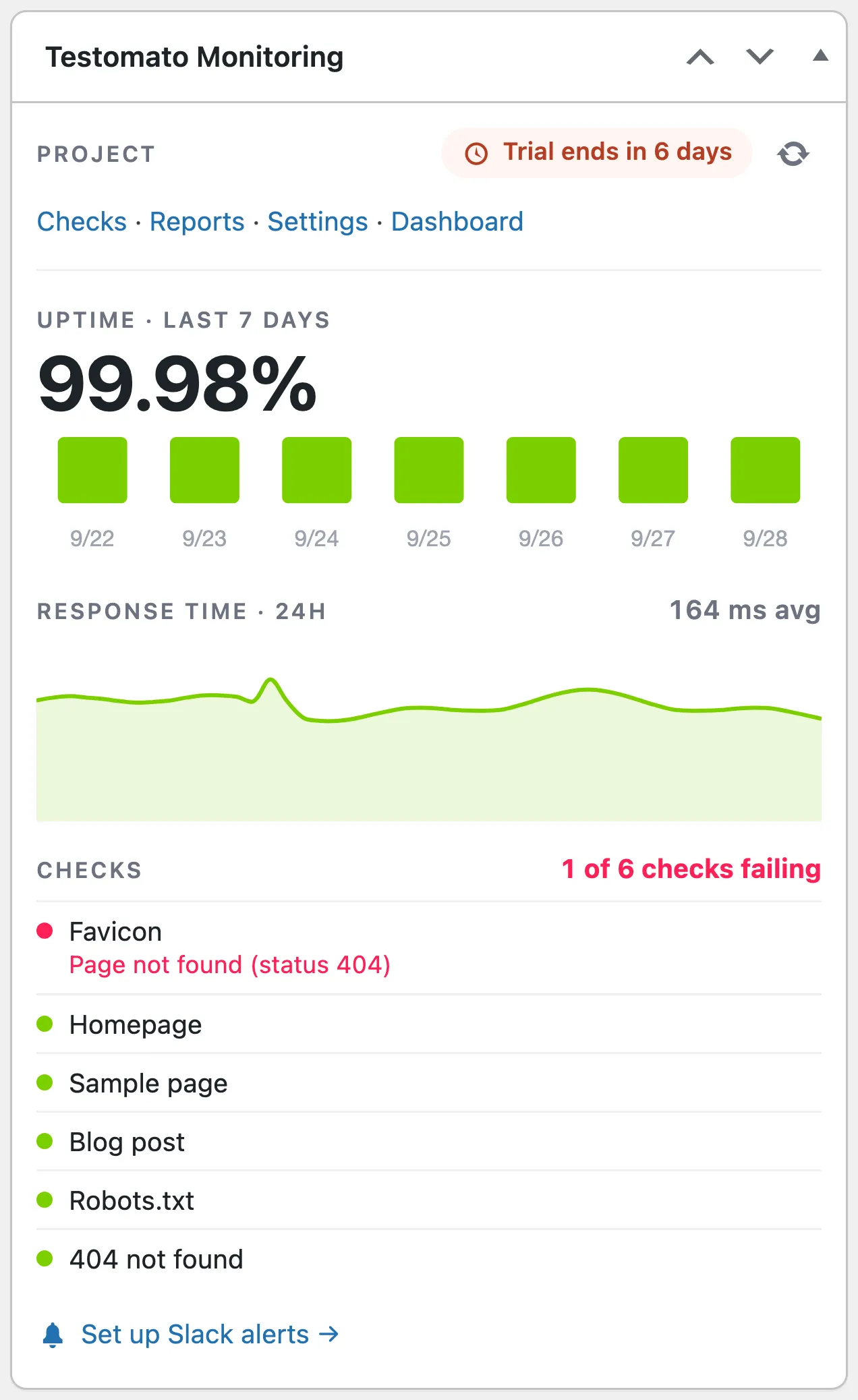
Status where you already log in
Open wp-admin and see 7-day uptime, 24-hour response time and every check, with the reason when one fails.
Hover a bar or the chart to read that day's uptime or a single response time. Charts are drawn by a bundled copy of Chart.js, so no external scripts load.
You don't have to keep checking it. Failed checks alert you by email, and the widget links straight to Slack alerts setup.
It does nothing to your front end
The plugin runs only in wp-admin. Visitors and Googlebot get the same pages as before. Your page load speed and Core Web Vitals don't change.
What to know before you install:
-
No front-end footprint
No scripts, styles or database queries on your public pages. -
Your content stays put
Posts, users and media never leave your site. TestomatoBot reads only public pages. -
Works on any host
Checks run from outside, so there's nothing to install on the server. -
Requirements
WordPress 5.8+, PHP 7.4+. Tested up to WordPress 7.1. WooCommerce is optional. -
Clean uninstall
Uninstalling removes everything the plugin stored. Your Testomato project stays in your account. -
GPL and auditable
GPL-2.0-or-later. The documentation lists all data it sends.
WordPress plugin FAQ
- Do I need a Testomato account before installing the plugin?
- No. Connect creates a passwordless account with a free 14-day trial, no credit card needed. If you already have an account, paste your API token from account settings instead.
- Is the plugin free?
- Yes. The plugin is free. Testomato is paid after the 14-day trial; see pricing.
- Does it slow down my website?
- No. The plugin only runs inside the WordPress admin — it adds no scripts, styles or database queries to your front-end pages. The checks themselves run on Testomato's servers, not yours.
- What data does the plugin send to Testomato?
- On connect: your email, admin name, home URL, and WordPress and WooCommerce versions. After that, only the IDs needed to fetch your status. Never posts, users or media.
- Does it work with WooCommerce?
- Yes. Cart and checkout are monitored automatically.
- Can I monitor more than the pages the plugin picked?
- Yes. Add any URL, expected text or alert rule in the Testomato dashboard. You can also add checks from an AI tool through our MCP server.
- How do I disconnect the site?
- Settings → Testomato Monitoring → Disconnect. Your project and history stay in Testomato.
- Where can I read the full documentation?
- In the plugin documentation. For what the widget's numbers mean, see reading the widget.
Start monitoring your WordPress site with Testomato
You can try it all free for 14 days with no credit card and no commitment.