Introducing the Testomato WordPress Plugin
We’ve just launched our official Testomato Monitoring WordPress plugin.
Now you can check your WordPress site’s uptime, response time, and the
status of your checks directly in your wp-admin dashboard through our widget.
Testomato monitors your
site externally, from our servers, so if yours goes down, you’ll get notified
by us, not by your customers.
Reading the widget
The widget is for checking your site when you log in. It doesn’t replace alerts. Those go to your preferred notification platform (email, Slack, etc.), so you hear about problems where you can always be reached. With the widget, you can get a quick, high-level view of the state of your site.
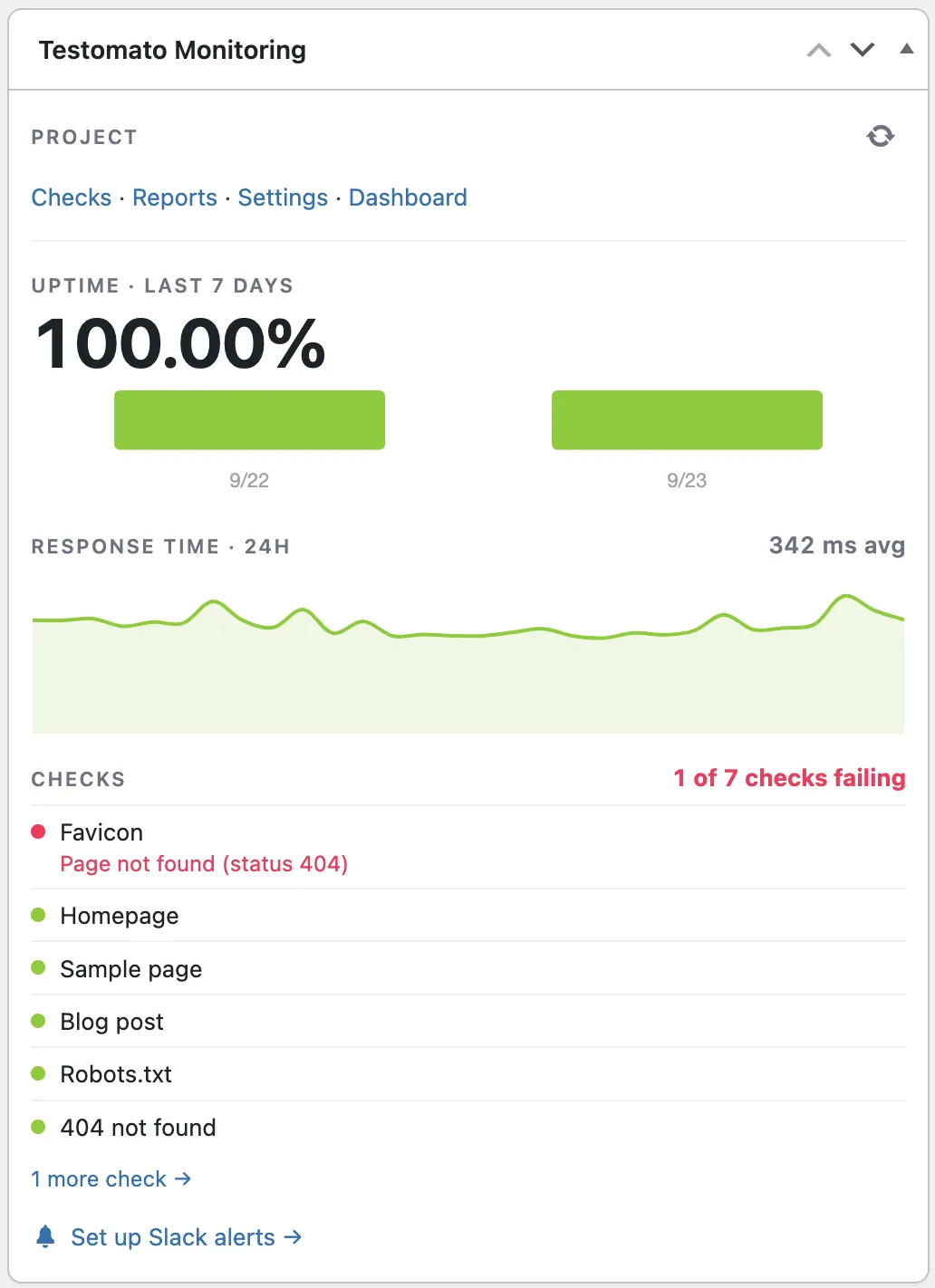
Uptime
Uptime is the percentage of time your main project URL was reachable, meaning it didn’t time out or return a server error. A day below 100% means your site was down for part of that day. Our uptime guide explains what uptime percentages mean in minutes of downtime.
Response time
Response time is how long your main project URL takes to respond. The widget shows the last 24 hours and the average. Don’t read too much into a single spike. Look for spikes that recur, or a line that keeps rising, and investigate those. Our response time guide covers how to read the data and what slows sites down.
Checks
A check is a test on one page, for example that it contains the text you expect or that it returns the right status code. A failing check means your site is up but something on the page is wrong. The widget shows the reason, for example “Page not found (status 404)”. Open the check in the Testomato dashboard to see the incident. Our guide to website monitoring explains the difference between uptime and checks.
Getting started
Install the plugin from the WordPress plugin directory and connect it under Settings → Testomato Monitoring.
New users connect with their email and get a free 14-day trial. Existing users connect with their Testomato API token. Your site must be publicly reachable to use the monitoring plugin.
The plugin creates a project for your site, with pages suggested by our AI test generator, and turns on uptime, response time, content, and SSL monitoring. If WooCommerce is active, your cart and checkout pages are monitored too. You can change all of it in the Testomato dashboard.
For more details:
- the help documentation walks through each step and covers troubleshooting
- the plugin FAQ covers what data is sent and what happens when the trial ends
- the WordPress plugin page gives an overview of its features
- our guide to monitoring a WordPress site covers what else is worth checking
Monitor your WordPress site with Testomato
14-day free trial. No credit card required.
Already on WordPress? Install the plugin and connect from wp-admin.

Written by
Rudi Kraeher